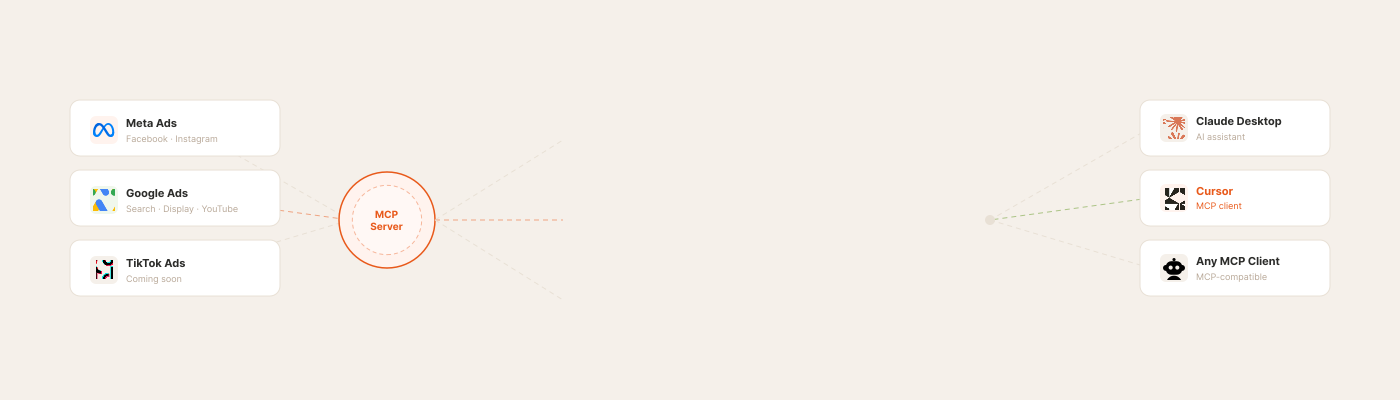
For most of 2025, connecting Meta Ads to Claude meant pasting a personal access token into a sketchy GitHub repo and hoping Meta wouldn't read it as bot traffic and ban your account. That's the bottleneck this article used to be about. It's not anymore.
On April 29, 2026, Meta did something the meta ads MCP community had been begging for since the protocol came out: it shipped its own official server. 29 tools. Read and write. No personal access token to paste, no developer app to register. That changes the shape of this article. Half the questions media buyers were asking about MCP for ads in March — "is it safe?", "will I get banned?", "do I have to clone a repo?" — now have a straight answer for the Meta side. Google had an official server already. Both major platforms now have one.
This refresh covers every major option available as of June 2026, including Meta's new launch, with honest comparisons so you can pick the right layer for your stack.
Quick answer: The best MCP server for Meta Ads is Meta's own official Ads MCP (launched April 29, 2026) — 29 tools, read + write, OAuth login, no API keys, free during open beta. For Google Ads, use Google's official MCP server. To cover both platforms in one connection, use Pipeboard. For an open-source, self-hosted option, use GoMarble. If you need a layer above MCP — automation rules running 24/7, bulk ad launch, and Meta + TikTok in one workflow — that's Scalemate, a verified Meta app rather than an MCP server.
In this article:
- Why Marketers Are Looking at MCP for Ads
- What Is an MCP Server for Ads?
- Meta's Official MCP Launch (April 29, 2026)
- Verified vs Unverified: Why It Matters for Your Ad Account
- Best MCP Servers for Meta Ads
- Best MCP Servers for Google Ads
- Comparison Table
- When Meta's MCP Is Enough vs When You Need a Layer Above
- FAQ
Why Marketers Are Looking at MCP for Ads
AI tools can analyze campaigns and suggest optimizations. The problem has always been the connection layer: how do you actually get your ad data into the AI? Copying CSVs into ChatGPT works for one-off questions, but it breaks down at scale and loses real-time context.
MCP (Model Context Protocol) solves this. It creates a standardized bridge between AI assistants and advertising platforms, so tools like Claude or Cursor can read your Meta and Google Ads data directly. No CSV exports. No manual context-setting. Just live data flowing into AI.
Until recently, setting up these connections required developer skills: cloning repos, configuring API keys, editing JSON files. That's shifting. Remote MCP servers now let marketers connect ad accounts by pasting a single URL. The barrier to using mcp marketing tools is dropping fast, and the practical benefits for media buyers are becoming hard to ignore.
Is There an Official Meta MCP Server?
Yes. Meta launched its official Meta Ads MCP server on April 29, 2026 — the first ad platform to ship an official Model Context Protocol integration. It lets AI assistants like Claude and ChatGPT read campaign data, analyze performance, and (unique to Meta's MCP) execute write actions like pausing ads, changing budgets, and launching campaigns directly through chat.
The Meta MCP server runs as a remote service — no local install, no repository to clone. You authenticate with your Meta Business account and the AI assistant connects through Anthropic's open MCP standard.
For Google Ads, there's also an official Google Ads MCP server, released earlier in 2026. It's read-only and requires more setup than Meta's. See the full comparison below ↓
What Is an MCP Server for Meta and Google Ads?
MCP stands for Model Context Protocol, an open standard developed by Anthropic. A Meta MCP server (or Google Ads MCP server) is one specific implementation: it sits between your ad platform and your AI assistant, handling authentication, data pulls, and formatting. Think of it as a universal adapter. Instead of every AI tool building custom integrations with every platform, MCP provides one protocol that works across all of them.
For advertising, an MCP server sits between your ad platform (Meta, Google, TikTok) and your AI assistant (Claude, Cursor, or any MCP-compatible client). The server handles authentication, pulls campaign data through the platform's API, and formats it so the AI can understand and analyze it.
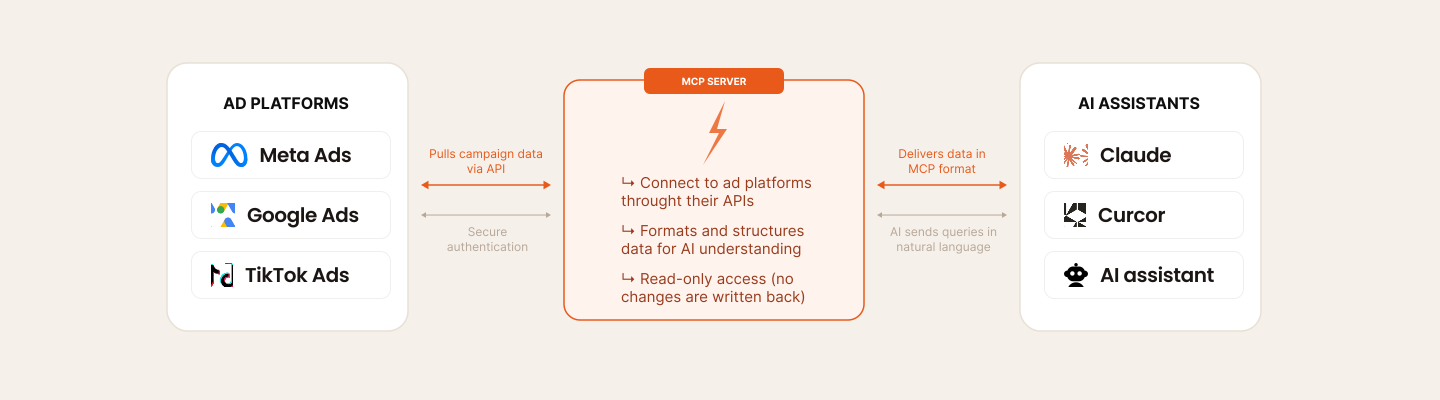
MCP sits between your AI assistant and your ad accounts. One protocol, any platform, no CSV exports.
In practice that means asking "which ad sets had the worst ROAS last week?" and getting answers from live data, generating performance summaries without touching Ads Manager, or comparing Meta and Google numbers in the same conversation. Most MCP servers stay read-only — pausing campaigns, changing budgets, launching ads still happens in the ad platform itself. Meta's official server, launched April 29, broke that pattern — more on that next.
Meta's Official MCP Launch (April 29, 2026)
For the better part of a year, "Meta MCP" meant a third-party tool. That's no longer the case. Meta released the Meta Ads MCP server on April 29, 2026 — its own first-party connection layer between Claude / Cursor / any MCP client and the Ads API.
What's actually in it:
- 29 tools across 5 capability families: campaign creation, performance insights, audience management, budget and pacing, creative editing
- Read + write. Not just reporting — you can launch campaigns, swap creatives, change budgets, edit audiences from the chat
- No API keys, no Meta Developer App. Meta hosts the auth flow itself. You sign in with your Meta Business account through OAuth, and that's the credential exchange
- Free during open beta (no usage caps published as of launch)
Setup in Claude Desktop:
- Sign in to Meta Business and authorize the MCP integration via OAuth
- Add the provided block to
claude_desktop_config.json - Restart Claude Desktop. The 29 tools appear under the Meta Ads namespace
CLI version is also live. For terminal-first workflows: npm install -g @meta/ads-cli (Node 18+). Same toolset, callable from a shell instead of a chat client. Useful for scripting and headless automation. The ClaudeFast tutorial walks through both the Claude Desktop and CLI setups end to end. Meta's own announcement and policy notes sit on the Meta Business Help Center.
Why this matters for the ban-risk conversation. A media buyer no longer has to choose between "use AI on my Meta data" and "stay on Meta's good side." The official server is, by definition, a verified Meta app — auth, rate limits, scoped permissions are Meta's problem, not yours. The launch effectively splits the mcp server facebook market into two cleanly distinct buckets: official + verified third-parties on one side, unverified token-passers on the other. We'll lay out which is which below.
What Meta's official MCP doesn't do (yet). It's a powerful chat-driven layer for individual campaign tweaks, but the operational gaps for high-volume teams are concrete:
- No autonomous execution. The MCP describes problems (CPA up, ROAS down, ad set fatigued) but waits for you to type the next prompt. There's no rule running while you sleep that catches the 2am budget runaway.
- No bulk creative file transfer. It moves structured campaign data, not binary files. Pulling 50 video creatives from Google Drive into the Media Library is still a manual download-then-upload loop.
- Single-platform. Meta only. TikTok and other platforms each need their own MCP setup or fallback to manual.
- Single-account chat surface. Switching between agency clients or ad accounts means re-orienting Claude every session — there's no persistent multi-account workspace.
- Stateless between sessions. Each Claude conversation starts cold. Patterns the model spotted last Tuesday don't carry into Friday's session unless you re-feed the context.
Scalemate covers each of those gaps directly: 24/7 automation rules that pause and scale on ROAS, CPI, or any metric without prompting; native Drive → Meta + TikTok creative sync from the ad creative uploader; multi-platform launch matrices; persistent multi-account workflows. Different layer, not a competing chat surface — covered in detail in the segmentation section below.
Verified vs Unverified: Why It Matters for Your Ad Account
Before comparing tools — read this section. The economics of which MCP server you connect changed on April 29.
There used to be one verified safe route to AI on top of Meta Ads: a Meta-reviewed third-party app (Scalemate is in this bucket — passed Meta's app review months before the official MCP existed). Now there are two:
- Meta's own official Ads MCP server — first-party, OAuth-based, no token paste, free in beta. Verified by definition.
- Verified third-party Meta apps — products like Scalemate that went through Meta's app review process, with scoped permissions and rate limiting on every request. Verified by review, not by being Meta itself.
Everything else — most of the open-source GitHub repos, hobby projects, "paste your access token here" tools — sits in the unverified bucket. The risk profile there hasn't changed: clone a repo, paste a personal access token, fire unlimited API calls, and Meta's security systems can flag the pattern as unauthorized bot access. Bans for this are not theoretical — they happened repeatedly through Q1 2026.
Three questions to ask before connecting any tool to your ad accounts:
- Who owns the credentials? Meta's official MCP and verified apps run on their own credentials. Unverified servers run on yours.
- Is there rate limiting? Verified apps and the official server have it built in. Most GitHub repos don't.
- Did the app pass Meta's review? "Works with the Meta API" is not the same as "approved by Meta." Check the developer page or app store listing.
If any of those three is a no, treat the tool as risky and weigh accordingly. We'll mark each option below.
Best MCP Servers for Meta Ads
The best MCP server for Meta Ads is Meta's own official Ads MCP — launched April 29, 2026, free during open beta, 29 tools, OAuth login with no API keys to manage. Below it are the third-party meta ads MCP servers worth knowing, ranked by trust + setup simplicity.
0. Meta Ads MCP (Official) — Launched April 29, 2026
Meta's first-party MCP server. 29 tools across campaign creation, performance insights, audience management, budget pacing, and creative editing — read and write. The auth model is the part that matters most for media buyers: no Meta Developer App to register, no API keys to paste, no personal access token in a config file. You sign in to Meta Business through OAuth and the credential exchange happens server-side.
- Setup: OAuth via Meta Business → paste config block into
claude_desktop_config.json→ restart Claude Desktop. ~5 minutes - CLI option:
npm install -g @meta/ads-cli(Node 18+) for terminal workflows - Platforms: Meta Ads only
- Pricing: Free during open beta (no usage caps published as of June 2026)
- Verification: First-party (Meta itself). No ban risk by design — this is Meta's own product
- Best for: Solo media buyers and small teams who want chat-driven analysis and basic write actions on a single Meta ad account, without paying for or installing anything
Meta Business setup guide | ClaudeFast walkthrough
1. Pipeboard
Pipeboard takes the easiest approach to meta MCP connectivity. It runs as a remote MCP server. No local installation, no dependencies, no terminal commands. You get a URL, paste it into Claude Desktop's MCP settings, and your Meta Ads data is available immediately.
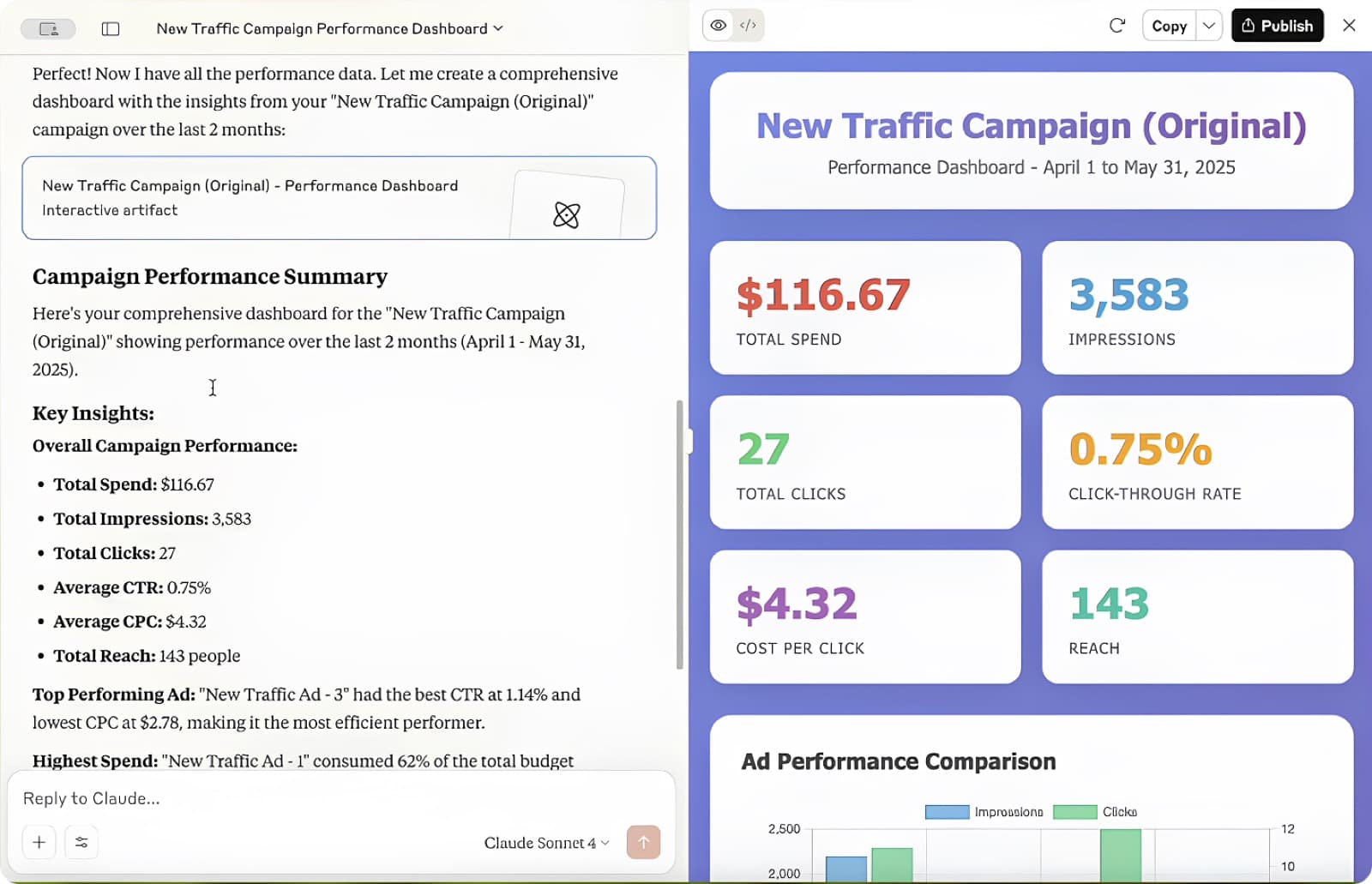
Pipeboard connects Meta and Google Ads to Claude. Ask questions, get answers from live data.
- Setup: Paste a remote URL into your AI client. Takes under 2 minutes
- Platforms: Meta Ads + Google Ads from one connection
- Pricing: Free tier available, paid plans for higher usage
- Best for: Marketers who want fast results without technical overhead
2. GoMarble (Open Source)
GoMarble's open-source facebook ads MCP server gives full transparency and control. The code is on GitHub, so you can inspect exactly what data it accesses and how it formats responses. The trade-off is setup complexity: you'll need Node.js, API credentials from Meta, and comfort with the command line.
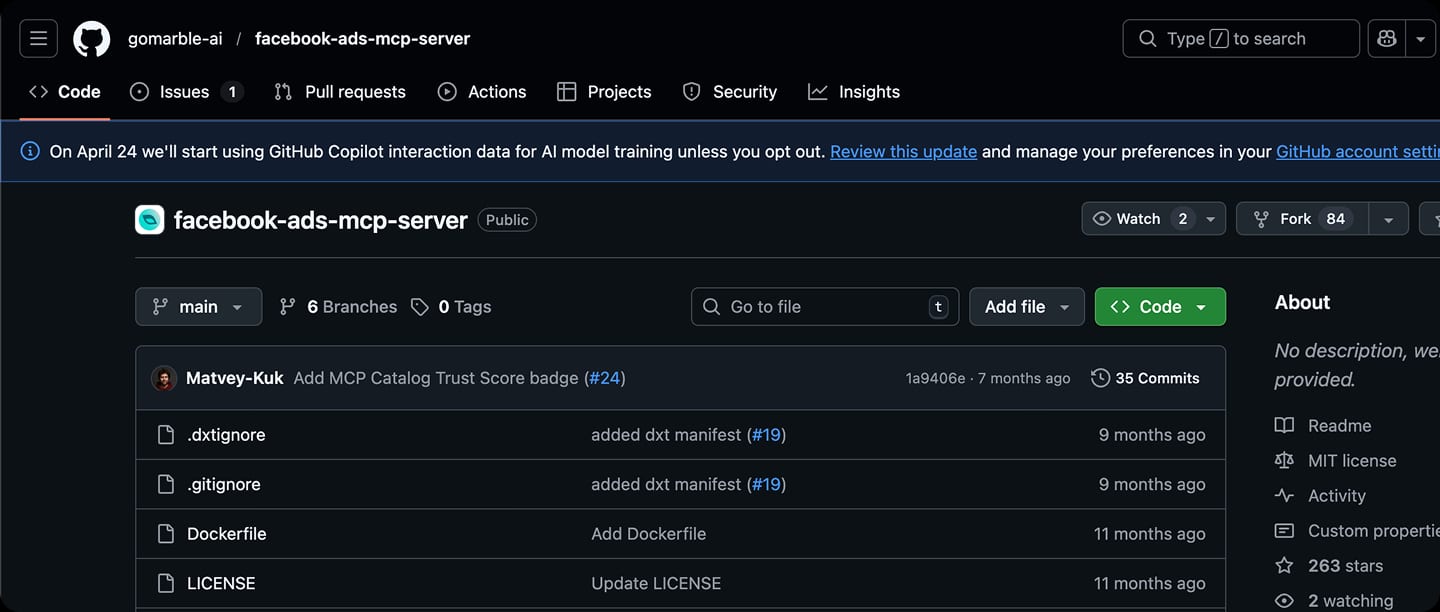
GoMarble's open-source Facebook Ads MCP server on GitHub. MIT license, 263 stars, 6 active branches.
- Setup: Clone repo, install dependencies, configure Meta API keys in JSON
- Platforms: Meta Ads only
- Pricing: Free (open-source, MIT license)
- Best for: Developers and technical marketers who want full control over their data pipeline
3. Composio
Composio positions its meta ads MCP integration as part of a broader AI agent platform. It supports building automated workflows — not just querying data, but chaining actions together too. Setup is more involved than Pipeboard but less than GoMarble, sitting in the middle ground.
- Setup: Account creation + platform configuration, moderate technical requirement
- Platforms: Meta Ads (part of 200+ integrations)
- Pricing: Paid platform with trial
- Best for: Teams already building AI agents who want ads as one data source among many
4. Scalemate AI Chat — Automation OS Layer (Verified Meta App)
Worth a short note here, expanded later in the article: Scalemate isn't a competitor to Meta's official MCP — it's a different layer. The Meta MCP gives you chat-driven analysis with some write capability on a single account. Scalemate runs above that: bulk ad launch from Drive folders, automation rules executing 24/7 in the background, multi-account and multi-platform (Meta + TikTok) workflows. Verified Meta app — went through Meta's app review, scoped permissions, rate limiting on every request.
- Setup: Connect a Facebook account through the platform. No repos, no JSON, no terminal
- Platforms: Meta Ads + TikTok Ads (Google Ads in development)
- Pricing: Paid with free trial
- Verified Meta app: Official API, scoped permissions, rate limiting built in. No ban risk
- Beyond analysis: Bulk ad launches, 20 production-tested automation rules, broader Facebook ads automation tools comparison, Drive→Meta sync. Persistent automation, not one-shot chat commands
- Used by: ZeptoLab (2B+ downloads), KitUp (1M+ users), and other performance teams running at scale
See the "When Meta's MCP is enough vs when you need a layer above" section below for the honest fit breakdown by team profile.
Best MCP Servers for Google Ads
The best MCP server for Google Ads is Google's own official MCP server — the deepest API coverage and most reliable data access, though it needs developer-level setup. For a simpler route, Pipeboard and Flyweel cover Google Ads too. Here's how the google ads MCP options compare.
1. Google Ads MCP (Official)
Google's own MCP server bridges the Google Ads API with AI assistants. Because it comes from the platform team, it has the deepest API coverage and the most reliable data access. The downside is setup: it requires Google Ads API credentials, a developer token, and familiarity with Google's authentication flow.
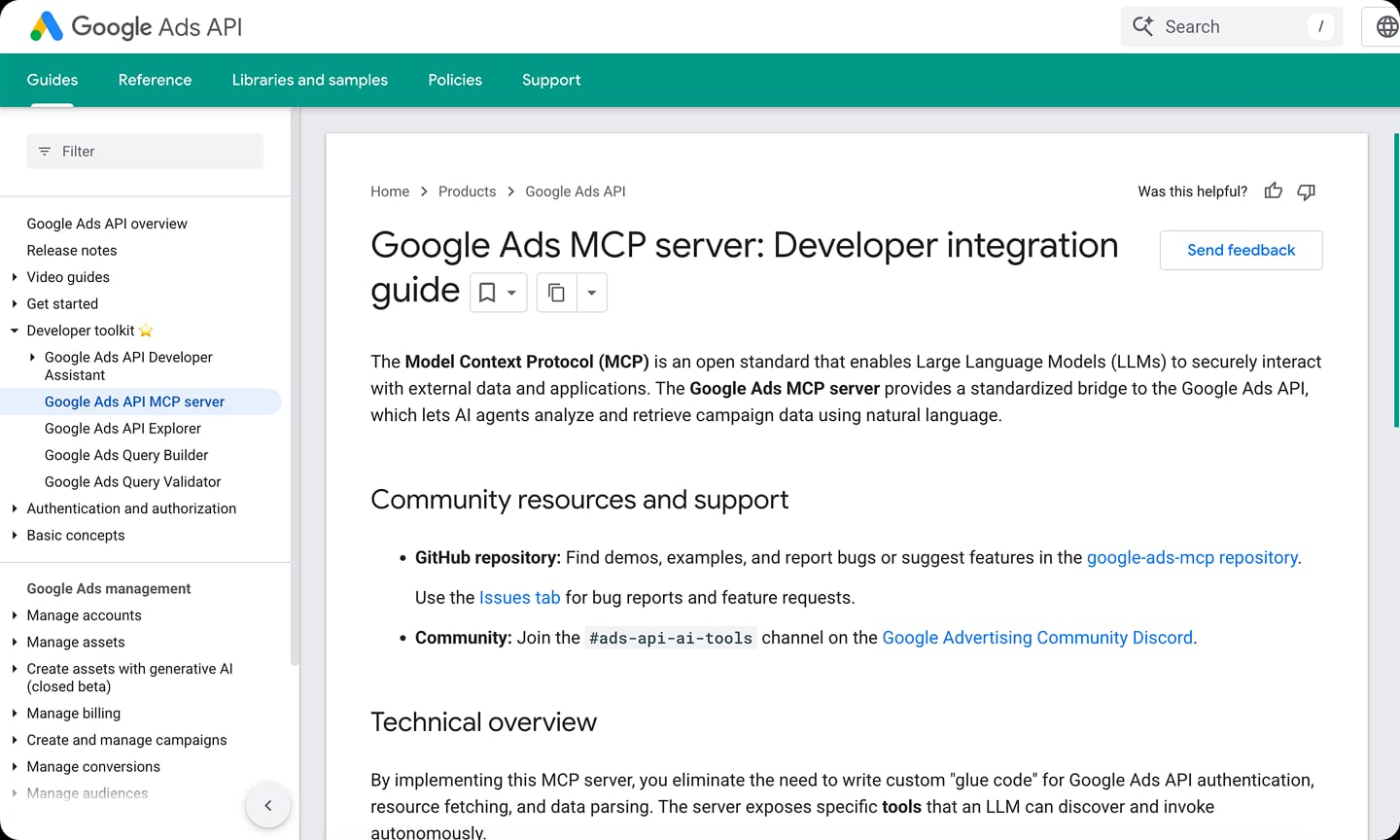
Google's official MCP server documentation. Deepest API coverage, but requires developer setup and OAuth configuration.
- Setup: Technical. API credentials, OAuth configuration, developer token
- Platforms: Google Ads only
- Pricing: Free
- Best for: Teams with developer support who want the most complete google ads MCP integration
Google Ads MCP Server (Official Docs)
2. Pipeboard
The same Pipeboard setup that connects Meta Ads also handles Google Ads. One remote URL, both platforms. For marketers running campaigns across Meta and Google simultaneously, this avoids maintaining two separate MCP configurations.
- Setup: Same remote URL approach. Paste and go
- Platforms: Google Ads + Meta Ads
- Pricing: Free tier available
This is the simplest way to get a working google ads MCP connection if you don't need the full depth of Google's official server.
3. Flyweel
Flyweel offers a free MCP server covering both Meta and Google Ads. It emphasizes simplicity and quick setup, making it a solid starting point for teams testing whether mcp advertising tools fit their workflow before committing to a paid solution.
- Setup: Simple configuration, lower barrier than official servers
- Platforms: Meta Ads + Google Ads
- Pricing: Free
- Best for: Teams exploring AI ads management for the first time
Meta Ads MCP vs Google Ads MCP — Comparison Table
Here's how every option stacks up across the dimensions that matter most for ai ads management.
| Tool | Platforms | Setup | Free/Paid | Verified | Key Features |
|---|---|---|---|---|---|
| Meta Ads MCP (Official) | Meta only | Easy (OAuth + config) | Free (beta) | First-party | 29 tools, read + write, no API keys |
| Google Ads MCP | Google only | Technical | Free | First-party | Official API bridge, deep reporting |
| Pipeboard | Meta + Google | Easy (remote URL) | Free tier | Third-party (verified) | Both platforms in one connection |
| GoMarble | Meta only | Technical (local) | Free (open-source) | Unverified (your token) | Open-source campaign analysis |
| Composio | Meta | Medium | Paid | Third-party | AI agent integration |
| Flyweel | Meta + Google | Easy | Free | Unverified (your token) | Analysis, attribution |
| Scalemate AI Chat | Meta + TikTok | Easy (built-in) | Paid (free trial) | Third-party (verified) | Analysis + actions + bulk launch + automation rules |
Read the table by the question you're trying to answer. Want a free, official, no-key route into Meta Ads from Claude? Meta's own MCP. Want one connection covering Meta and Google together? Pipeboard. Want to inspect the source code yourself? GoMarble. Want write actions and automation rules running 24/7 on top of Meta + TikTok, with bulk ad launch and Drive→Meta sync? That's a different layer above MCP — Scalemate. The next section explains where that line sits.
When Meta's MCP Is Enough vs When You Need a Layer Above
Now that Meta has a first-party MCP, the honest question for media buyers isn't "MCP yes or no" — it's "where does the official MCP stop solving my problem." Here's how we'd draw the line based on how performance teams actually use these tools.
Meta's official MCP is enough if you are:
- A solo media buyer or freelancer running 1 ad account
- Launching <10 ads/week, mostly variations on a winning concept
- Working primarily on Meta (not Meta + TikTok + Google in parallel)
- Comfortable with chat-driven analysis and one-off write actions ("pause this ad set", "raise budget to $200/day")
- Not running any persistent background automation
For that profile, Meta's MCP plus the platform's native rules cover the job. Pay for nothing extra. Don't install another tool.
You need a layer above MCP if you are:
- Managing multiple ad accounts (agencies, in-house teams with regional accounts)
- Launching 10+ ads/week with structured creative variations across angles, hooks, formats
- Running multi-platform (Meta + TikTok at minimum, sometimes Google) and want one workflow, not three
- Running persistent automation rules 24/7 — auto-pause on CPA thresholds, auto-scale on ROAS, rollback on CTR drop — not one-shot chat commands
- Syncing creatives from Google Drive into Meta (or pulling new winners back into a creative library) on an ongoing basis
That second profile is where Scalemate fits. It's not a competitor to Meta's MCP — it's a different layer. Meta's MCP is chat-driven analysis with some write capability. Scalemate is an automation OS that runs on top: bulk ad launch from Drive folders, automation rules that operate without a chat client open, 20 production-tested rule templates by goal, and the broader 13 Facebook ads automation tools comparison covering how teams move from manual through tool-based tiers.
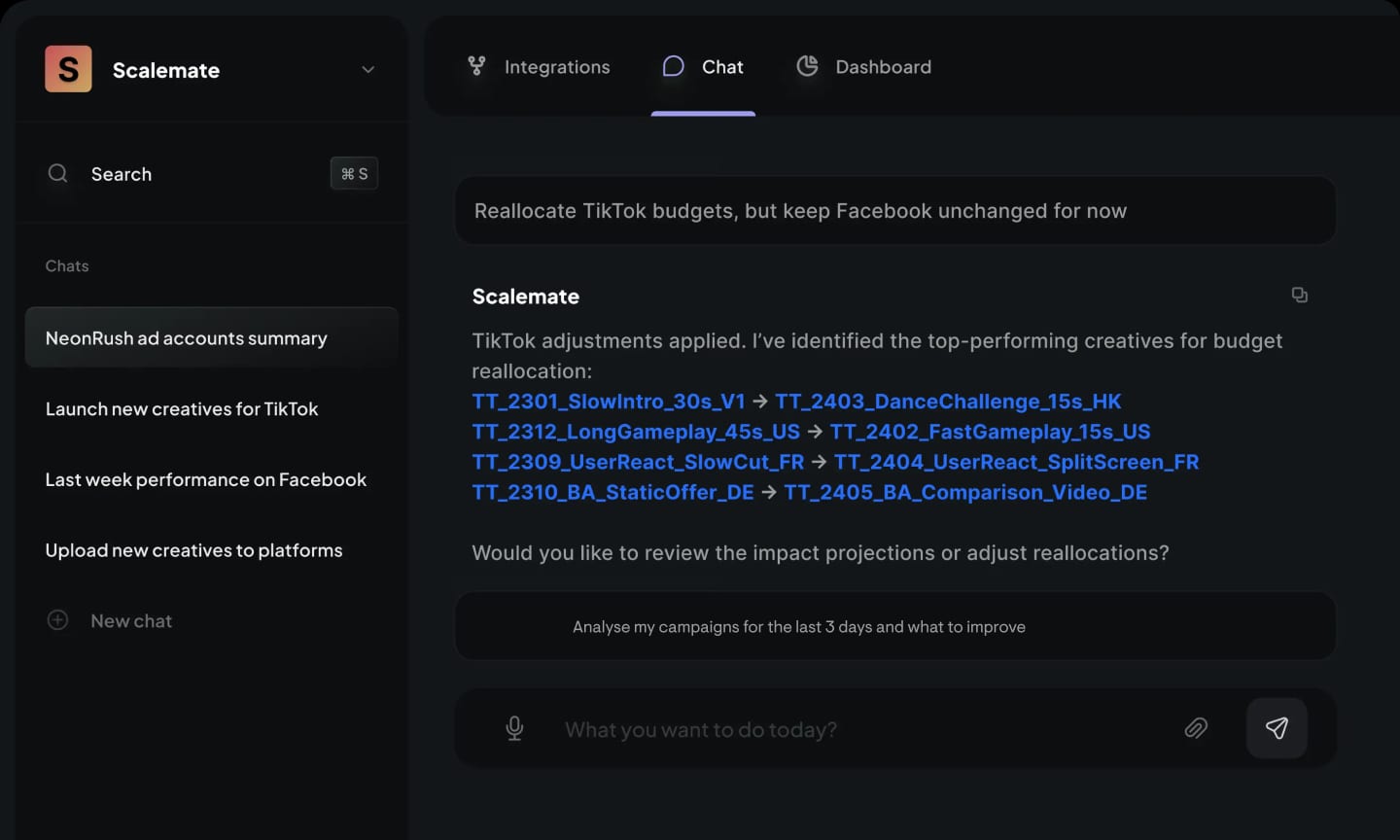
Scalemate's chat layer handles cross-platform workflows the official Meta MCP doesn't cover — TikTok included, automation rules running in background, bulk launch from Drive.
Used by ZeptoLab (2B+ downloads) and KitUp (1M+ users) for the multi-account, high-volume profile described above. MCP integration is on the roadmap for teams that want to call Scalemate's actions through Claude or Cursor — until then, the platform runs independently.